
Within Range / Getting started
The calculator, step by step.
Follow Alex’s fictional example using screenshots of the real calculator. See what goes where, what the result means, and where to check the assumptions.
Fictional example — not your result. The screenshots show one example calculated in Within Range, not a recommended setup. Reading this guide does not fill in your calculator or save a practice record.
Step 1 / Where the information comes from
Separate observations from assumptions.
Start in 01 Your setup. Choose the calibre, then the factory load and species. If you already know your own ballistic data, use + Add custom ballistic profile directly below the load selector.
Calculator screenshot · Fictional example
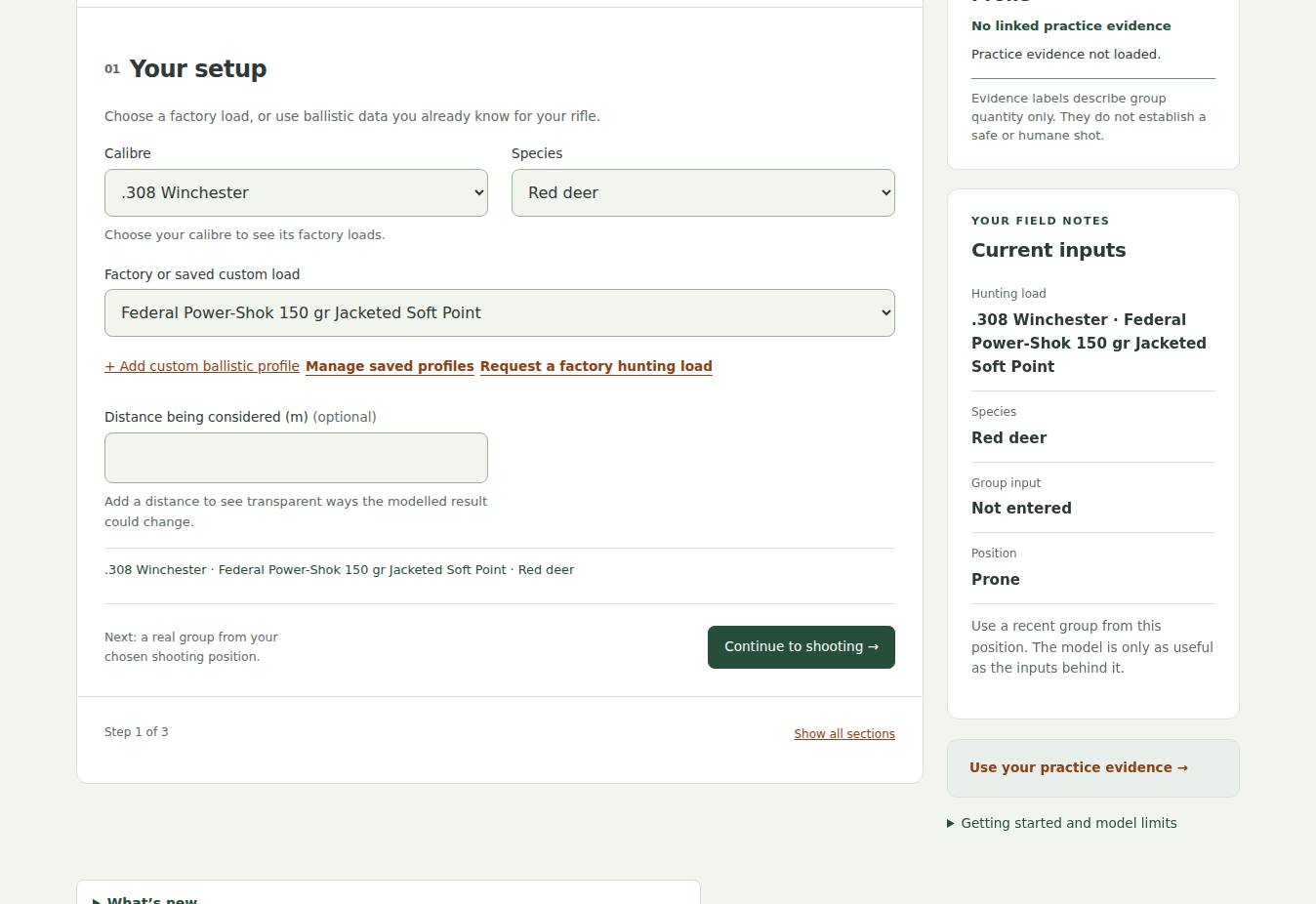
01 Your setup. The example uses a factory preset. Barrel length and distance being considered are left blank. The Field evidence card sits beside the form on a wider screen.
Open full-size screenshot: 01 Your setup →Select Continue to shooting, then Continue to conditions. You can also use Show all sections to review the complete form, as in the next screenshot. Alex’s fictional practice record is a 2 MOA, five-shot group from prone. The unit buttons (cm @ 100 m, MOA, MRAD) select the group-size unit; they do not describe the shooting position. Choose MOA to type 2, or enter 5.8 in cm @ 100 m, which is the same group.
Calculator screenshot · Fictional example
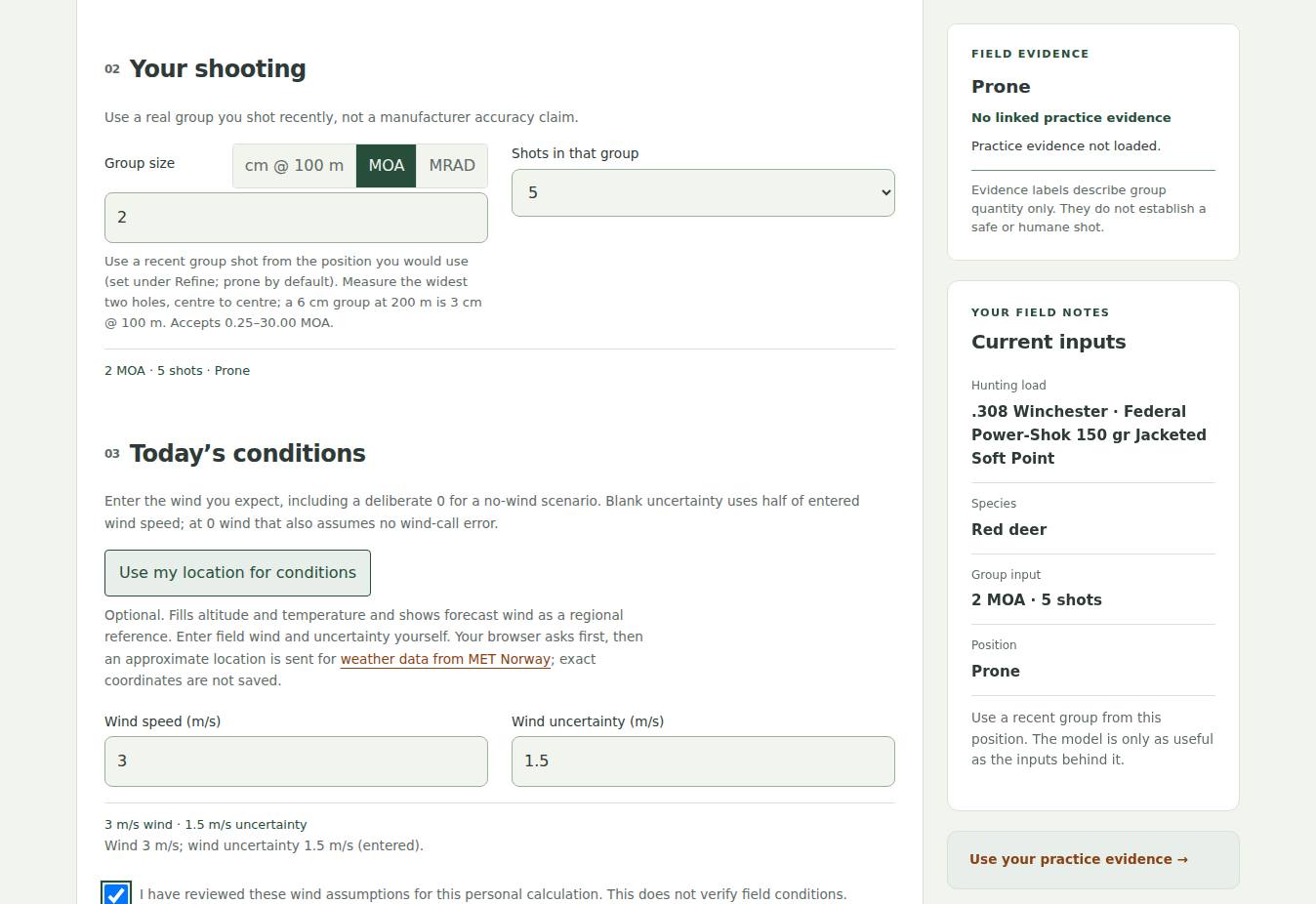
02 Your shooting and 03 Today’s conditions. The example’s remaining inputs are 3 m/s wind and 1.5 m/s wind uncertainty, with the defaults under Refine the assumptions left as they are: prone, 90% confidence, 500 m altitude and 10°C. All were entered manually; location was not requested.
Open full-size screenshot: 02 Your shooting and 03 Today’s conditions →A measured practice group and its shot count are observations from one session. A listed manufacturer velocity, by contrast, is published reference information; it is not a measurement from Alex’s rifle.
- Recorded by Alex
- A recent group, the number of shots, and the position used.
- Published reference
- The selected load’s specifications and the species’ vital-zone proxy, with sources and limitations.
- Estimated or selected
- Conditions, uncertainty and the confidence target. A chosen target is a preference, not a validated ethical threshold.
Look for: which values you measured, which you estimated, and which came from a source.
Find Your setup in the calculator →Find Your shooting →Find Today’s conditions →
Step 2 / What the headline means
A model boundary has a limited meaning.
Select Calculate at the bottom of the form. The result appears below it, beginning with the highlighted result and then the chart.
Calculator screenshot · Fictional example
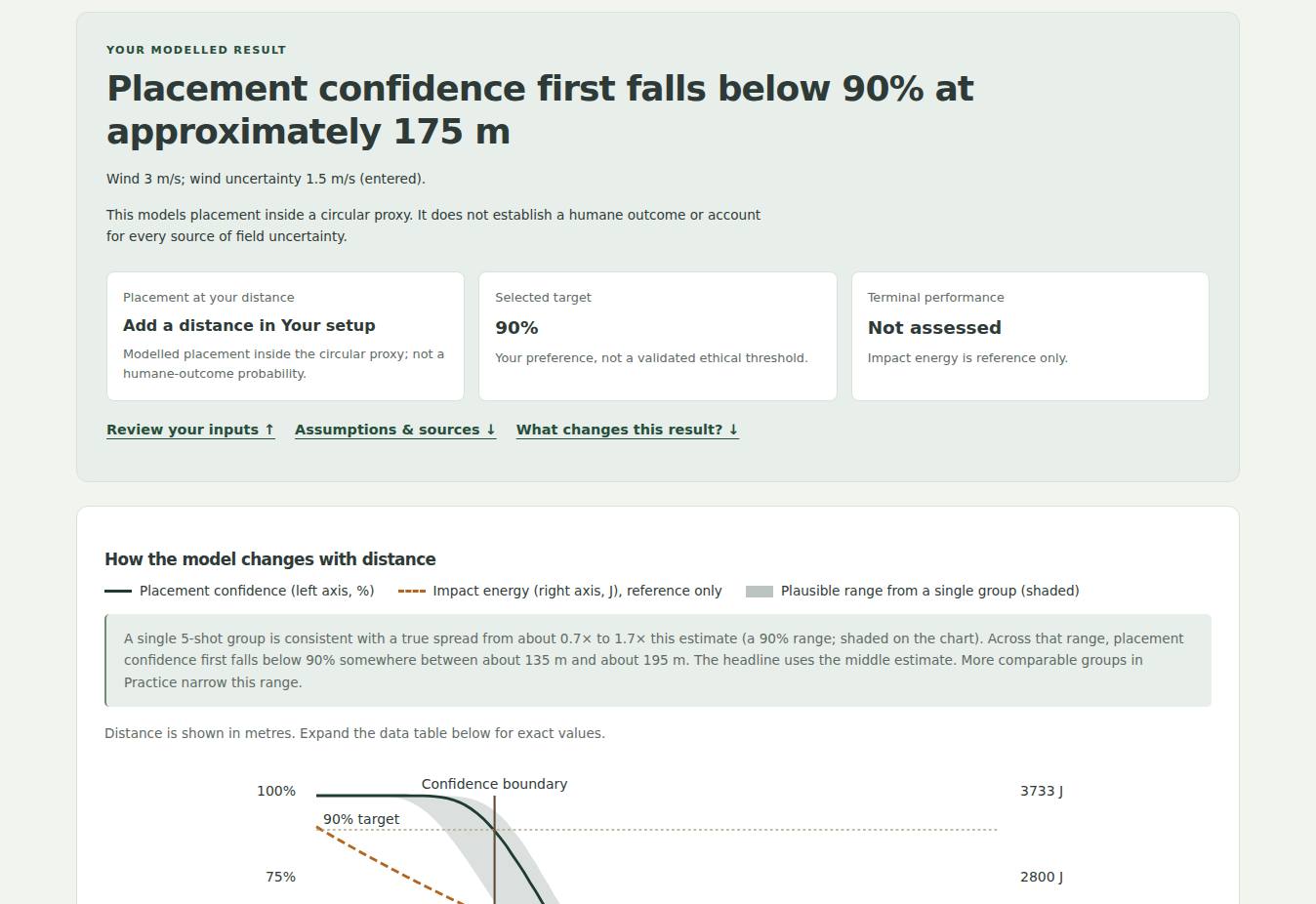
Your modelled result. This is the result produced by the example inputs above. The headline says “Placement confidence first falls below 90% at approximately 175 m”. It is not a result for your setup.
Open full-size screenshot: Your modelled result →Read that as the first sampled distance where the model’s placement estimate drops below Alex’s selected 90% target. It does not establish a safe distance, predict a humane outcome, or give permission to take a shot.
The placement curve determines the calculator’s confidence boundary. The energy curve is shown for context only; being above that reference does not establish terminal performance.
In the live calculator, select View the data table beneath the chart if you prefer the values as text. Review your inputs returns you to the form. These controls are part of the screenshot here, so open the calculator to use them.
Look for: the stated target, the explanation beside the headline, and the chart’s text table. Read the two curves according to their different roles.
Step 3 / Read what sits behind it
The assumptions are part of the result.
Scroll below the chart and feedback section to Assumptions & sources. It is expanded by default. Alex checks the entries against the intended scenario and follows the source links where needed.
Calculator screenshot · Fictional example
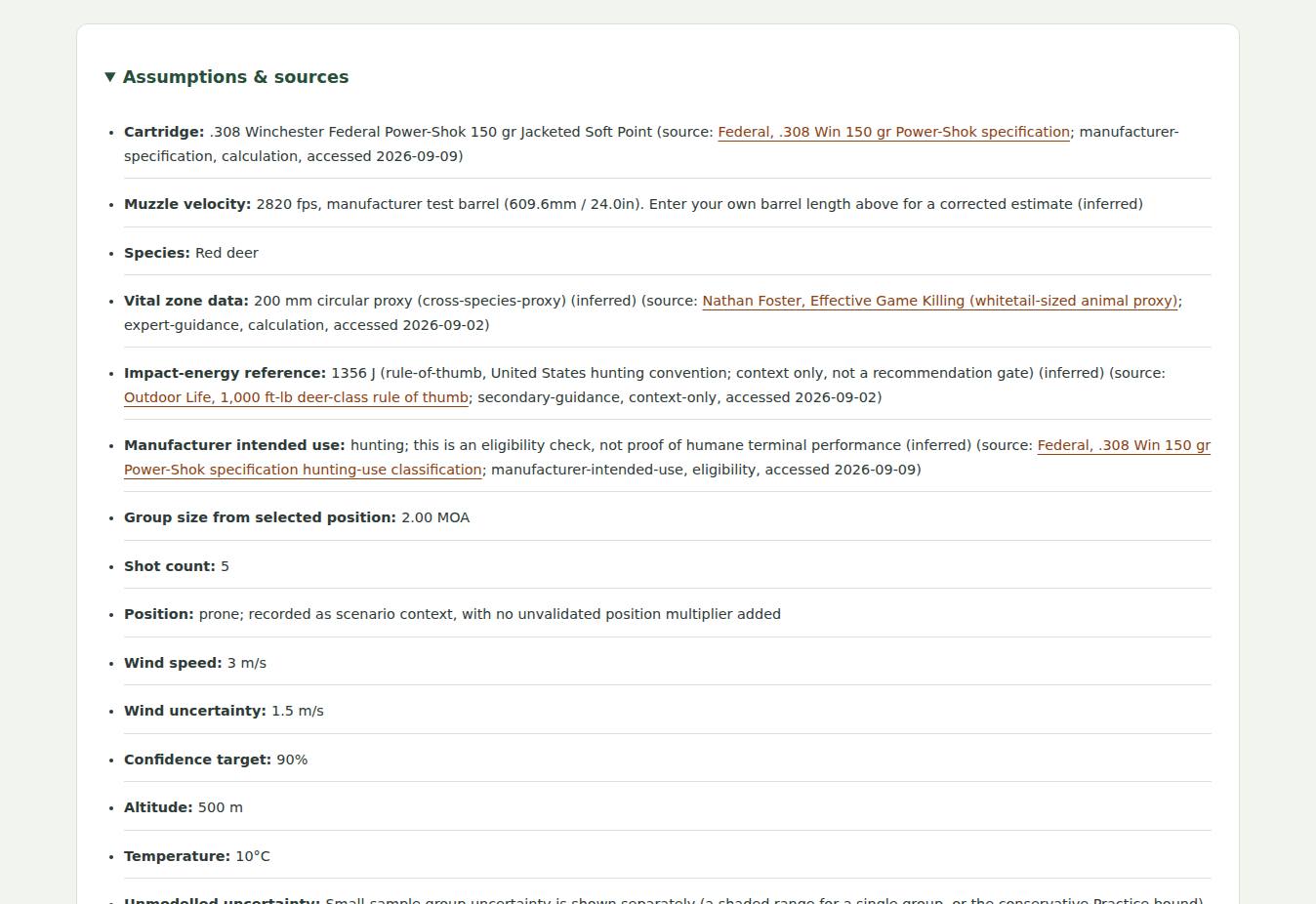
Assumptions & sources. Notice the manufacturer test-barrel velocity, the cross-species vital-zone proxy and the entries marked “inferred”. The source links are interactive in the calculator, not in this picture.
Open full-size screenshot: Assumptions & sources →- Check the inputs and units. An entry error can still produce a plausible-looking number.
- Read the source limitations. A vital-zone proxy is a simplified modelling circle, not an anatomical guide for every animal or presentation.
- Read what is missing. Day-to-day variation, cold-bore offset, time pressure and other field errors are not fully represented by this placement model.
Look for: assumptions you cannot support with your own information. Changing a value simply to make the result pass does not provide new evidence.
Step 4 / Understand the evidence label
A practice label describes the record.
Find Field evidence in the field-notes panel to the right of the form on a wider screen. On a phone the field-notes panel follows the form. Linked evidence is also described in the saved-practice notice and My Capability. You can see it in the setup screenshot above.
Alex entered a group manually and has not linked saved practice evidence. Field Evidence therefore says “No linked practice evidence”. That describes what the app has available; it is not a judgement of Alex’s ability.
When comparable saved groups are linked, labels such as Limited, Developing and Stronger describe group quantity. They are not grades, certifications or proof of a humane shot. A single group also does not establish repeatability across different days and conditions.
Look for: the number of comparable groups, the position and the date of the most recent relevant practice.
Try it with your own information.
Use your own recorded observations, read the assumptions, and treat the output as a limited model. No example values will be carried over.
Landscape visible in the screenshots: “Central Plateau” © Geoff McKay, CC BY 2.0; resized/compressed within the calculator. Screenshots were captured from Within Range, not generated illustrations.
